Custom operating systems for operators
Your operation.
One system.
Most businesses run on a dozen tools with nothing connecting them. Kinetic-OS is one operating system built around the way your business already works, for teams of 10 to 500 people. Your first module goes live in week one.
Built on your inputs. Hosted, supported, and yours.
See it
Systems already running.
Nine screens from live builds. Same engine, different operations.
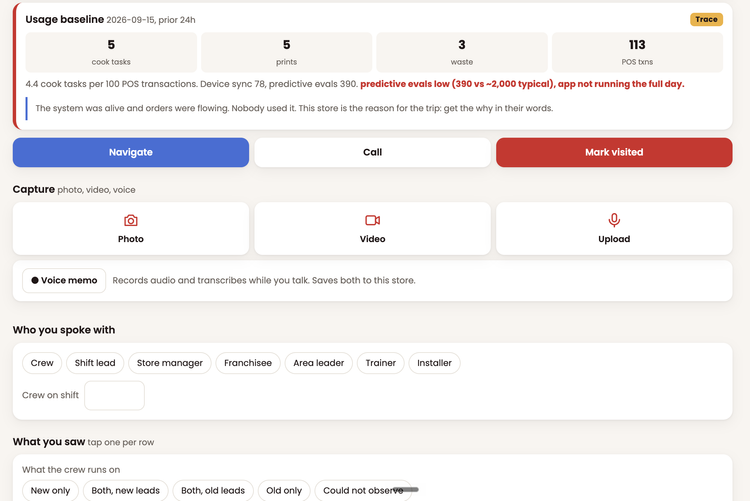


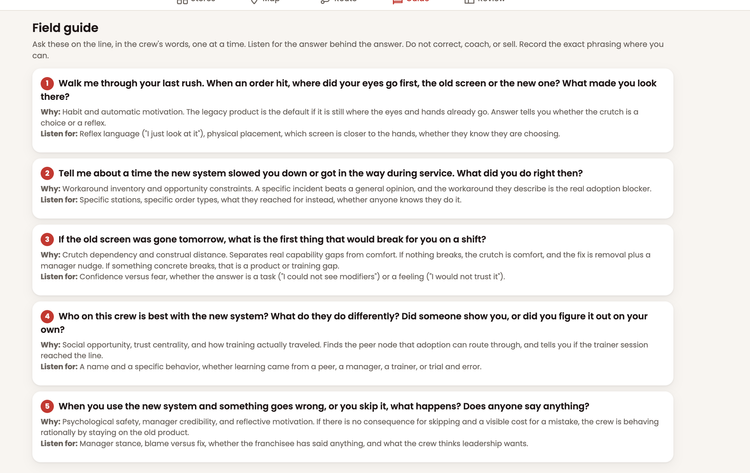
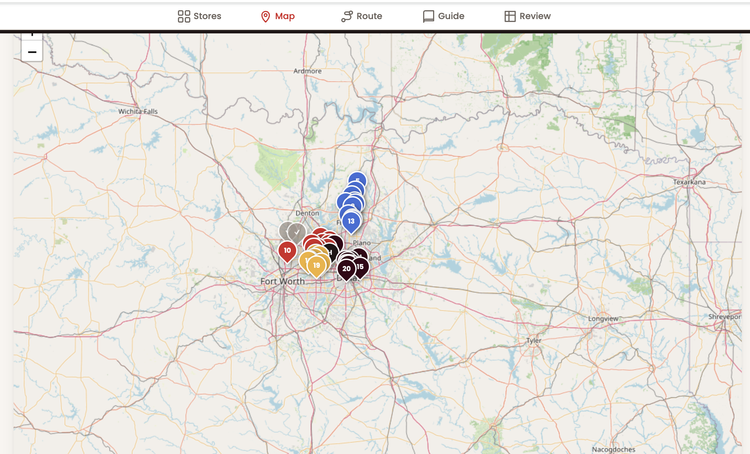
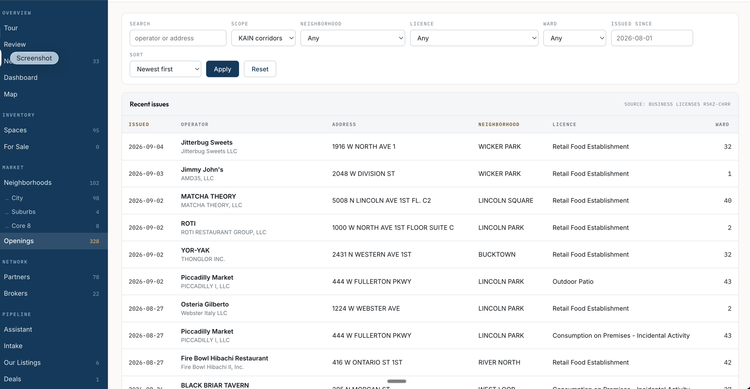
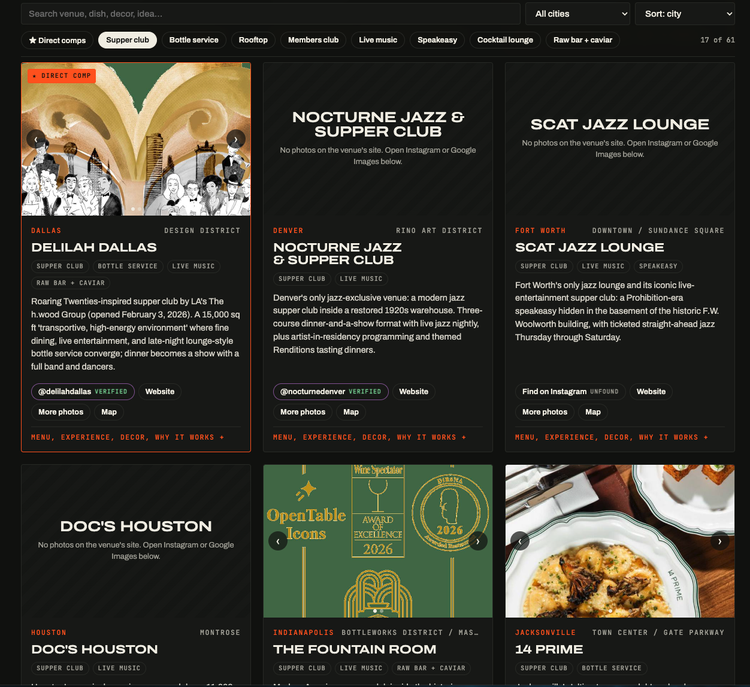
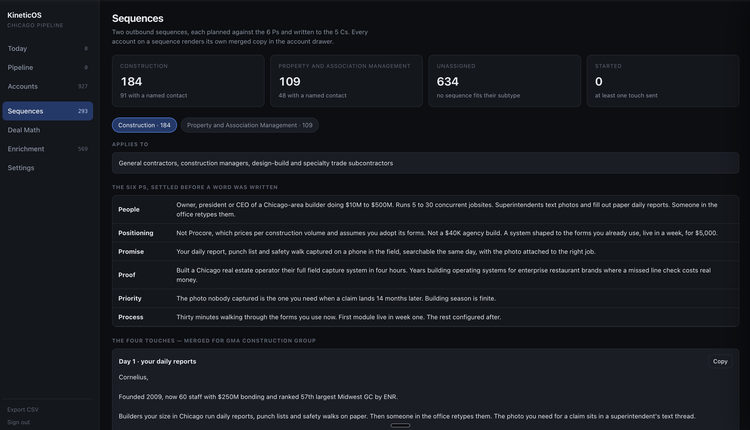
Screens from live builds. Client names and details are blurred.
The problem
Your business runs on software.
None of it runs together.
Ten subscriptions. Spreadsheets holding the seams. Photos in text threads, notes in someone's phone, and the real status of the job in one person's head. Every tool owns a slice of your operation. Nothing owns the whole.
Your locations, your people, your procedures, your records. One login, built to your workflow, on your phone and in the office.
Every fold removes a subscription, a spreadsheet, or a workaround.
What we build
Four modules.
Built for the way you work.
We start with the module holding your biggest mess. The rest fold in as you go.
Capture the work
Picture capture, video capture, and voice notes from any phone. Transcribed, labeled, and filed to the right site.
Every location
Locations, assets, and records in one hierarchy. Per-site settings so one system fits every place you operate.
Checklists and training
Operation checklists, training materials, and forms. Written once, versioned, and bound to the sites and roles using them.
The system checks itself
Exceptions surface, statuses update, and the weekly report writes itself before you ask for it.
What goes in the build
Shoot on the phone already in their pocket. Every photo lands on the right record, timestamped and labeled.
Walk a site on video. The audio comes back as a transcript filed with the clip.
Talk instead of typing. The system writes it down and files it where it belongs.
Openings, line checks, turns, inspections. Assigned, timed, and logged as they happen.
Guides and knowledge base articles your team reads on the floor, versioned in one place.
What to ask, what to look for, and what good looks like, in the hand of whoever is on site.
The day's stops in order, with drive time and what happened at each one.
Scan a code to pull up the item, the site, or the asset. Count it, log it, or reorder it on the spot.
The plan, the model, and the targets sitting next to the work instead of in a folder.
Rollouts and openings broken into phases, owners, and dates your team works from.
Leads, deals, and accounts moving through stages your team keeps current.
Ask in plain words. Get the record, the list, or the draft back.
Issues raised from the floor, routed, tracked, and closed with the fix written down.
One-pagers, decks, and campaign assets built from the records your team already keeps.
What sells, what repeats, and what margin each location holds.
Who came back, who stopped, and the offer built to bring them back.
Vehicles, equipment, service history, and the next thing due on each one.
Every unit, where it sits, who owns it, and what it has cost you so far.
Sensors and equipment reporting into the same system your team already opens.
Purchase forms routed for approval, with the paper trail attached.
What was ordered, by which site, against what it should have been.
What is running, what is down, how long it lasted, and what it cost.
What ships, what arrived, and what is missing, checked off against the order.
Invoices and payment requests routed for sign-off, with the receipt attached.
Your locations, licenses, vendors, and market data in one place the system reads from.
Public records and market sources pulled, cleaned, and refreshed on a schedule.
Keys and tiered access, so every role sees the records and actions it should.
One system on the desktop and in the hand, showing live numbers instead of last month's export.
Brand work and growth plans built into the system running them.
Your build uses the pieces your operation needs. Nothing else gets installed.
How it works
Map. Build. Fold.
Days 1 to 3
We map how work moves through your business today. You send your inputs: locations, roles, forms, and the tools you run.
Week one
Your first module goes live with your data in it. Your team uses it the same week, on the phones they already carry.
Month 1 to 12
One at a time, the rest of your tools fold in. Each fold takes work off a spreadsheet and puts it in the system.
First module live with real data
Your team works in it daily
Second and third modules folded in
Your operation runs on one system
What we measure
The year-one scorecard.
We set targets with you in week one and report against them every month. Four numbers decide whether the system earned its place.
Share of your team working in the system every week.
Subscriptions and spreadsheets folded in and shut off.
Manager hours a week freed from chasing status.
Profit held from tighter operations and less rework.
Who it is for
Built for the businesses in between.
Past spreadsheets. Too small for a six-figure enterprise rollout. Ten to five hundred people, with work happening across sites, in the field, or on the road.
You run five or more tools and nobody owns the whole picture.
Your work happens away from a desk, on phones and in trucks and on floors.
You want a system you own, not another subscription you rent.
Your industry is missing from the list? The engine has nothing industry-specific in it. Tell us how you operate.
Questions
Before you apply.
Is this only for restaurants?
No. Restaurants and real estate came first because we operate in both. The engine holds nothing industry-specific. We have built for brokerage, food production, multi-site field operations, and IT support desks on the same foundation.
What happens to the tools we run today?
They fold in or go away. We keep the ones earning their place, pull the data out of the rest, and shut them off one at a time.
Who owns the system and the data?
You do. Your data stays yours and comes out in a standard export whenever you ask.
How fast does the team get their hands on it?
Week one for the first module, loaded with your locations and your records. Adoption starts while the rest of the build continues.
Do we need an IT person?
No. We build it, host it, support it, and train your team. You need one person inside who answers questions about how the work really runs.
What does it cost?
Every build is scoped to the operation. We price it on the call once we see how you work, and the number covers the build plus the monthly system.
Apply
Apply for a build slot.
We start a small number of builds each month. Tell us how your operation runs today. You get back what week one looks like for your business.
Two minutes. We reply within two business days. Applications go to mm@kinetic-kitchens.com.
Kinetic-OS